 KELLER WILLIAMS REALTY
Your website
The three-state site is live. The next step is making every inquiry reach the right place.
Live websiteJOHN GRIFFIN REALTY · PROPOSAL · OCTOBER 13, 2026
Start with your three-state website, Business Hub OS CRM and Stan, your AI concierge. A practical foundation for serving buyers and sellers across Minnesota, Wisconsin and Florida.
Website + Business Hub OS CRM + AI agent
Proposed starting package. CRM setup and the website-to-agent handoff are completed during onboarding. Credit usage rules, any additional charges and service terms will be confirmed before activation.
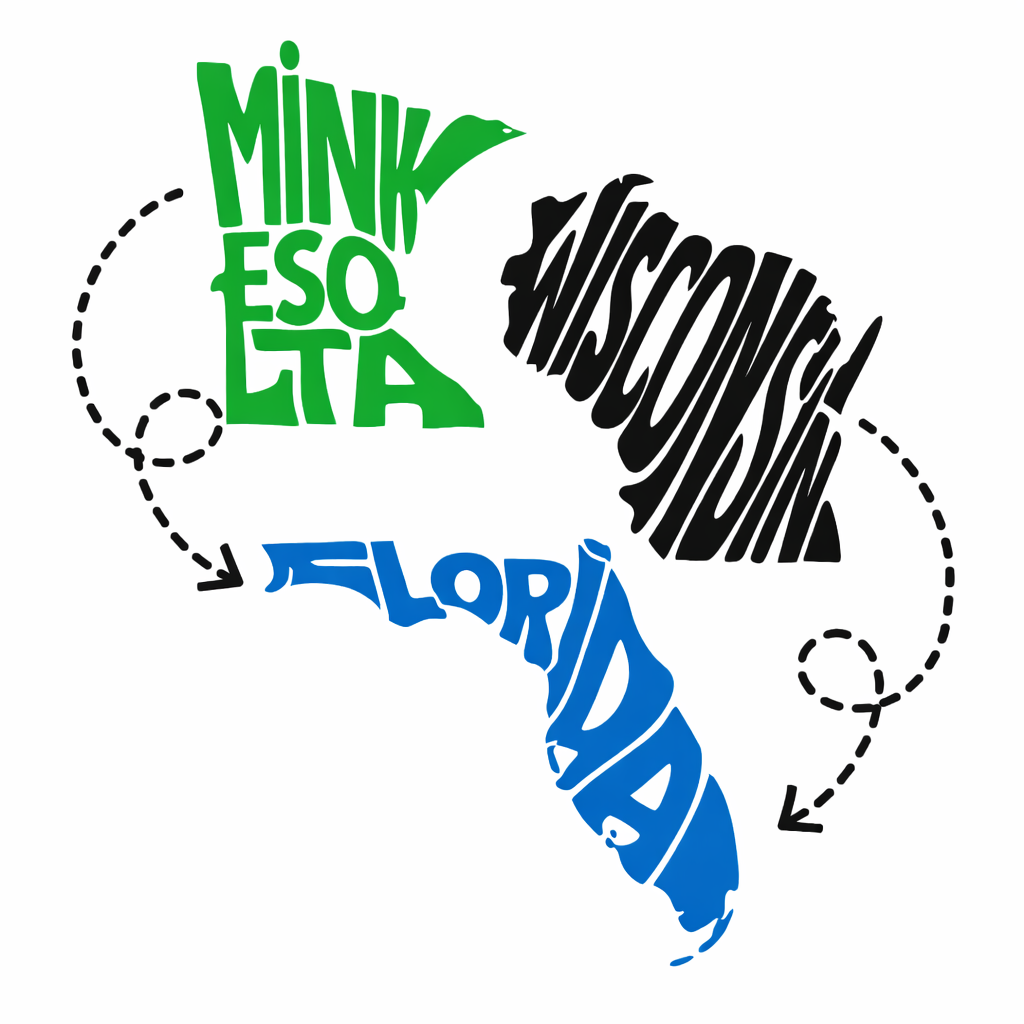
The three-state site is live. The next step is making every inquiry reach the right place.
Live websiteA marketing workspace for contacts, needs, notes and the next useful conversation.
Onboarding scopeStan gives visitors a place to ask questions and explain what they are looking for.
Demo availableYOUR CURRENT LINKS
Open the website, try Stan and review your existing professional profiles. These links stay together as the connections are completed.
Griff Realty Group's snowbird positioning, markets, biography and contact page.
griffrealty.manifestic.ai Stan demoMeet your AI concierge. CRM and calendar connections are next-stage work.
orb.businesshubos.com Official KW profileYour property-search portal, testimonials, blog and professional contact details.
johngriffin.kw.com Existing preview linkThe existing KW John Griffin concept. Use the custom-domain website as your primary visitor link.
snowbird-states-hub.lovable.appSocial URLs are published on your official KW website. Current account ownership, access, audience metrics and posting activity still need an account-level review. A Google Business Profile has not yet been matched confidently to your business.

WHAT WE HEARD
In our September 30 conversation, you described roughly 2,800 contacts and too much spreadsheet work to keep them organized. You want relevant, personal follow-up and concierge property searches, rather than a stream of generic messages.
Your digital cards and QR codes help start the relationship. The opportunity is to preserve the conversation, remember the market and timing, and make the next step easy.
Command remains your system for transactions, compliance, opportunities and signatures. Business Hub OS CRM is the proposed marketing and relationship workspace alongside it.
Contact volume and workflow preferences come from the meeting notes. The actual export, field mapping and integration options will be reviewed with you.
BUSINESS HUB OS CRM
A useful CRM brings the context back when you need it. It should help you prepare for the conversation, without taking over your relationships.
Group contacts by market, buyer or seller needs, source, timing and relationship stage. Keep the original export and review duplicates before importing.
See the most recent conversation, search criteria and a follow-up task. Start with an approved 25–50-contact sample so you can test the workflow before a larger import.
Prepare a check-in or email from your own notes and the properties you select. You review the recipient and wording before a message is sent.
Connect an approved website form or digital-card path so a new inquiry carries its source, market and request. Test delivery and failure handling before calling it connected.
Illustrative workflow, not customer records or a screenshot of an active John Griffin account.
BUILT WITH YOU. SUPPORTED FOR YOU.
We will assign an AI assistant to help you build out your Business Hub OS CRM. We can work through it together or handle the configuration for you, from organizing contacts and pipelines to preparing follow-up workflows.
Your starting package includes ongoing support calls: weekly or monthly, based on what you need. We will agree a practical schedule with you and adjust as your confidence and workflow grow.
Request your CRM accessYour personal invitation will be sent separately once your dedicated workspace is verified. Private acceptance links stay in your inbox.
No completed John Griffin CRM import, operational workflow or tested Stan-to-CRM connection is evidenced yet. Your $99 package includes the CRM as the starting service; configuring and verifying it is the onboarding work.
WORK TO DATE
Calls documented your cross-market business, networking and digital-card workflow, preference for concierge service, and the need to keep Command for transactions.
The snowbird website presents your markets, headshot, state artwork, biography and contact details. It is reachable on the custom domain.
Muse prepared the visual proposal and Stan demo, then aligned the proposal with the site's gold/navy design, fonts, headshot and state artwork.
A private research notebook and approximately 20-minute audio overview were reported prepared. They can support your review and future scripts; they are not a published YouTube video.
The private website repository moved into the agency organization. Vercel retained the connection, production remained on main, and Muse verified access. This proposal now brings the offer, CRM, marketing audit and content direction together.
WEBSITE AND MARKETING AUDIT · OCTOBER 13
The strongest next steps are a reliable inquiry path, a consistent public identity and a clear personal follow-up process. The findings below combine the live website, its source, your official KW page and Muse's project records.
The source currently changes the screen to “Message Sent” without sending or saving the inquiry. Connect the form to the correct CRM account and test a synthetic submission, notification and failure state.
Fix proposedThe website uses Bizzy; the proposal links Stan. Choose Stan's role, confirm the voice and knowledge, and test the CRM handoff. Keep a usable close control and a centered conversation panel on mobile and desktop.
Connection proposedThe snowbird website's property button goes to the general KW homepage. Your official portal is available at johngriffin.kw.com. Confirm the intended search destination and update the website caption and link together.
Open official search ↗The website source still uses “Lovable Generated Project” for descriptions and social previews. Add a specific three-state description, matching share image, canonical URL and useful market pages. Validate crawlability and indexing after release.
SEO improvements proposedYour official KW site publishes testimonials, a blog, brokerage details and four social links. Link these from the snowbird site and use approved reviews with permission and attribution. Confirm current brokerage and license details before a refresh.
Review your existing KW material ↗Set up agreed measurement for form delivery, calls, Stan handoffs and source. Establish a baseline before evaluating content. No traffic, ranking, conversion or revenue uplift has been measured in this audit.
Baseline neededLive website and proposal rendering, canonical website code, Vercel repository/branch state, official KW profile links and project evidence were reviewed. Form submission was inspected in source; no real inquiry or message was sent. This is a website, content and workflow audit, not a penetration test, complete accessibility certification, license-registry audit or measurement of search rankings.
CONTENT SAMPLES FOR YOUR REVIEW
These are original draft concepts for the call, not scheduled posts or property advertisements. The visuals reuse your existing project assets. New generated imagery is being prepared through Higgsfield, as requested.
“Winters in Florida. Summers up north. Before you start searching, let's talk about where you want to be, when you want to move and what your next home needs to do for you.”
CTA: Tell John which markets you are considering.
“A useful property search starts with a conversation. Share your timing, must-haves and questions. We can narrow the search together rather than fill your inbox with homes that don't fit.”
CTA: Start your concierge search conversation.
“Planning a move between Minnesota, Wisconsin and Florida? Start with your priorities and your timeline. We'll identify the next questions to answer before choosing properties.”
CTA: Visit John's three-state website.
Build each piece from your experience and current sources. Property, tax, insurance and legal claims need appropriate review; market statistics need a date and source. No market forecast or savings promise is part of these drafts.
The five-image set requested earlier was not completed. These new page concepts do not represent delivery of that original set.
OPTIONAL MARKETING SERVICES · SEPARATE PRICING
Your starting offer is $99 per month with 200 included credits. The services below are upgrades, quoted by scope. They are not bundled into that price.
Review a small, agreed set of public competitor websites, content, offers and search presentation. Keep source links and dates, identify useful gaps, and create original recommendations rather than copying competitors' posts.
Develop useful market and concierge-search articles, frequently asked questions, supporting images and internal links. Agree the cadence, approval process and maintenance scope before publishing.
Use Zernio to schedule approved posts across connected channels and bring supported comments, messages and reviews into one inbox. Its current documentation lists 16 posting platforms; select the channels useful to you rather than posting everywhere by default. Inbox capabilities vary by platform and account type.
Start with your confirmed Facebook, Instagram, LinkedIn and X accounts. Add Google Business Profile and YouTube after access and scope are verified. John-specific connections and daily posting have not been activated.
Platform coverage and limitations ↗Develop original branded concepts, reusable social formats and short videos. A proposed NotebookLM-assisted YouTube workflow uses approved source material, a reviewed script, branded intro and outro, captions and final approval. No John-specific video has been produced or uploaded yet.
Review your verified listing, improve approved photos and service information, and prepare review requests and replies. Confirm profile ownership first and request reviews fairly from actual customers.
Apollo can be considered for research on relevant professional referral partners, with identity checks and a small agreed target list. It is not a substitute for your customer CRM or a reason to bulk-enrich your existing contacts. This review does not activate sequences, outreach or contact imports.
Monday · Seasonal move question
Tuesday · John explains the concierge search
Wednesday · A sourced local-market article
Thursday · Buyer or seller checklist
Friday · Approved listing or client story
Saturday · Original three-state lifestyle visual
Sunday · Weekly question and conversation CTA
Illustrative only. A John-specific daily service, production volume, channel list and fee must be agreed separately. Listing media and customer stories require permission.
ONBOARDING AND NEXT STEPS
Review website + CRM + Stan at $99/month and 200 included credits. Settle service terms and credit rules. Identify the correct CRM account and owners.
Choose the real form destination and Stan's website role. Test an inquiry, the CRM record, notification and next-action task with synthetic data.
Map an approved 25–50-contact sample, review duplicates, draft three personal follow-ups and test one digital-card or QR capture route.
Accept the pilot only when the records and handoffs work. Select any content, blogging, competitor research, social or profile services through a separate quote.
You can find a contact by market and needs; a test inquiry reaches the correct account; follow-up drafts remain under your control; the transaction handoff to Command is documented; and a failed delivery is visible and recoverable.
Use the links above during the call, review the offer, and choose the first connection to complete. This page is a proposal, not a checkout or signed agreement.
NexGen Steel remains a separate introduction and supplier due-diligence track. Construction performance, insurance, referral and investment figures from the discussions have not been substantiated here and are not part of the $99 realty offer. RahRah is a separate historical project; no new implementation is included in this proposal.
Reviewed October 13, 2026. Business needs draw on the June 30 and September 30 meeting records. Delivery status was reconciled with Muse/Orca and the current website and source. Public professional links were checked on John's official KW website and the KW South Shore directory. Zernio coverage follows its platform documentation. Private call notes, notebook materials and client records remain in the project workspace.
SOCIAL PROFILES AND GOOGLE BUSINESS PROFILE
Make every profile feel like the same John.
Your KW website identifies Facebook, Instagram, LinkedIn and X. Those existing links give us a starting point for an account-by-account review.
Consistent profiles
Align your headshot, Griff Realty Group name, market description, brokerage disclosure and contact link. Give each profile an obvious path to your website or an approved intake form.
Review the linked accounts with you before changing usernames or connections. A linked URL is not proof that we have account access.
More useful social content
Lead with the seasonal move, a concierge search and specific questions buyers and sellers ask. Combine your own insights with original visuals and approved listing material.
Use a clear call to action, subtitles on video and a reply routine. Compare inquiries and conversations, not only likes.
Google Business Profile review
First identify your actual listing and owner access. Then review the business name, category, phone, website, photos, services, reviews and duplicate listings.
No matching listing, rating or ownership status is claimed here. Confirm location and eligibility before proposing any new profile.
Google Business Profile guidance: Google's business representation guidelines. Profile updates and review management are optional services with a separately agreed scope.